

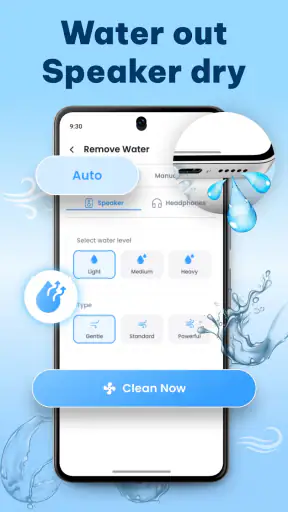
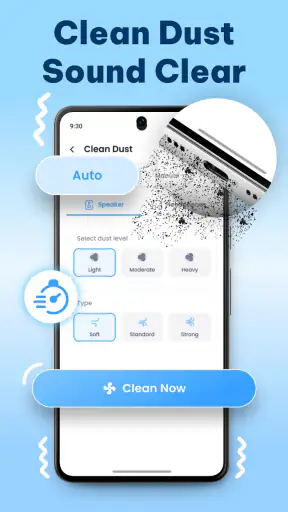
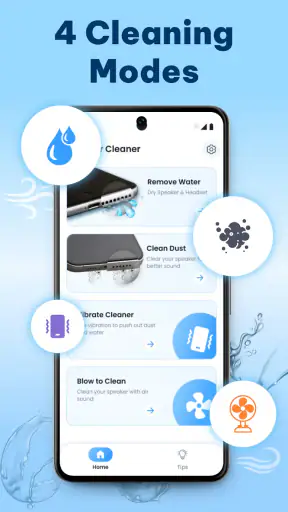
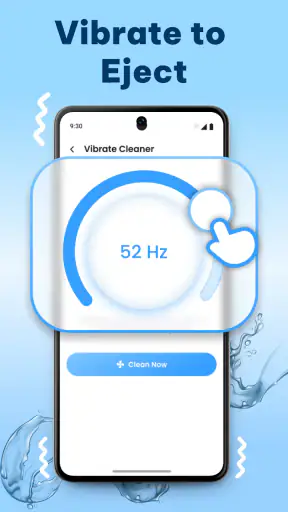
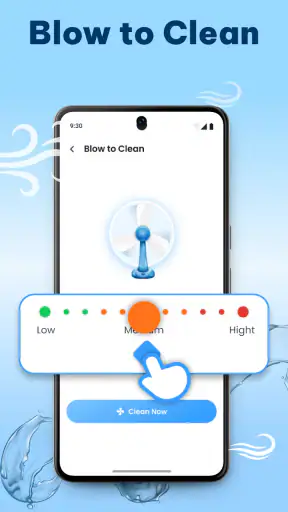
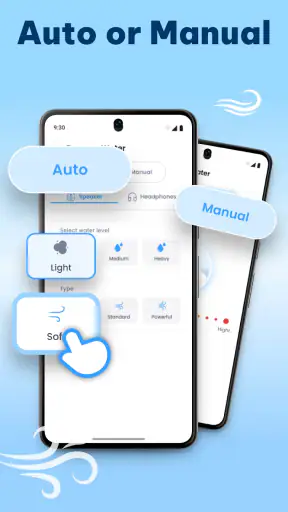
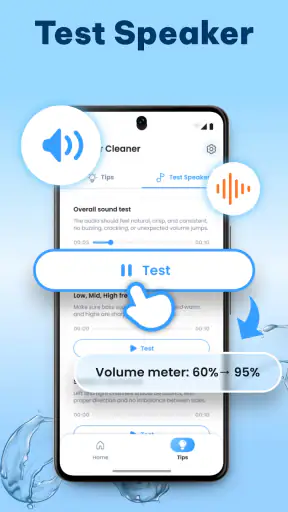
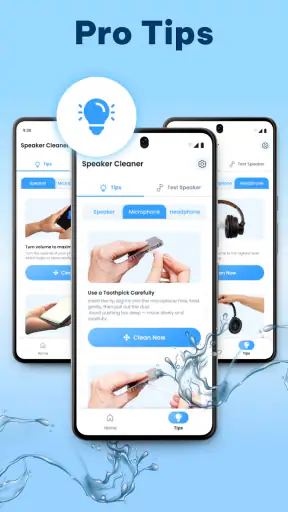
I tested Speaker Cleaner: Water Eject as a focused Music & Audio utility rather than as a general sound app. Its purpose is simple: play a cleaning tone intended to help move water or dust away from a phone speaker, then let you check whether the sound has improved. That narrow job is also its biggest strength. I did not have to learn a large audio editor or sort through recording tools before reaching the function I wanted.
My overall impression is that it is most useful as a quick first step after a splash, a humid day, or a pocket that has left the speaker sounding muffled. It is free to install, aimed at Everyone, and comes from World Labs Global. The app has reached over a million installs and holds a 4.1 average from around twelve thousand ratings, so it is clearly being used as a practical utility rather than a novelty that people try once and forget.
How the app feels to read and navigate
The first thing I look for in a small utility is whether the main action is obvious. Speaker Cleaner: Water Eject benefits from having one central purpose: cleaning the speaker. That makes it easier to approach than an audio toolkit filled with equalizers, waveform controls, presets, and technical labels. If you are opening it with wet hands after dropping your phone near a sink, a short path to the cleaning action matters more than a long list of options.
For readers with low vision, the simplicity of the task is helpful, but I would still judge the interface by more than the number of buttons. Clear text, strong contrast, and controls that are easy to distinguish from promotional material make a real difference in a utility like this. I would keep the phone at a comfortable brightness, avoid rushing, and read the screen before starting playback. The app’s value comes from the action it performs, not from exploring every part of the screen.
Navigation should also work for people who do not like fast, crowded interfaces. A person with dyslexia, attention difficulties, or limited familiarity with audio terminology may prefer a tool that explains its purpose in ordinary language. This app is easier to understand when treated as a guided cleaning step rather than as a sound laboratory. If the screen presents extra choices, I recommend changing only one thing at a time and checking the speaker between attempts.
One practical detail is easy to overlook: the speaker being cleaned is usually the same speaker needed to hear the instructions. I would read the screen first, place the phone securely, and only then start the tone. That workflow is more comfortable for anyone who relies on captions, visual cues, or a quieter environment. It also prevents the common mistake of beginning playback while the phone is pressed against clothing or a soft surface.
The current version is 3.4, and the app runs on Android 7.1 or later. That broad compatibility is useful for people keeping an older phone as a backup or using a budget device. It also means the app is not limited to people with the newest hardware. Still, the result depends on the physical speaker, its position, and the kind of obstruction involved, so an older phone should not be expected to behave exactly like a newer one.
What I would do before pressing the cleaning control
I would first remove a case if it covers the speaker openings, wipe the exterior with a soft dry cloth, and make sure the phone is not connected to headphones or another audio output. Then I would set the volume to a sensible level rather than immediately choosing the loudest possible setting. This preparation is especially important for people who are sensitive to sudden sounds or who use hearing assistance devices nearby.
I would also keep the phone’s orientation consistent while testing. If the speaker opening faces a table, the sound may be absorbed or reflected in a way that makes comparison difficult. Holding the device so the speaker can project into open air gives me a fairer before-and-after check. The app cannot replace careful handling, but a controlled setup makes its result easier to judge.
Sound, movement, and different ways of using the app
The main accessibility question here is not whether the app offers a long list of specialized settings; it is whether the cleaning action can be used comfortably by people with different sensory and motor needs. A tone-based tool can be convenient for someone who wants a short, direct process, but sound is also the part that requires the most care. Anyone with sound sensitivity, tinnitus, migraines, or a hearing-related condition should approach it cautiously and stop if the tone feels unpleasant.
I would not treat “louder” as automatically “better.” A strong tone may feel reassuring, but excessive volume can be uncomfortable and is not a substitute for removing visible debris or drying the phone properly. My preferred workflow is a brief test at a moderate level, followed by a normal call or a familiar audio clip. If the speaker sounds clearer, I stop. Repeating the process without a clear reason adds noise without necessarily adding benefit.
For someone with limited hand movement, a simple utility can be easier than an app that requires dragging sliders or making precise adjustments. The useful trade-off is that fewer controls reduce fine-grained control as well. If you need to position the phone, adjust volume, start playback, and inspect the result, doing all of that one-handed may still be awkward. A stand or a stable surface can turn the process into a much more manageable sequence.
People who use screen readers or enlarged text should assess the labels and focus order on their own device before relying on the app in an urgent situation. I cannot assume that every visual element has been exposed equally well to assistive technology. The safest approach is to open the app once in a quiet, dry setting, identify the main control, and learn how the screen behaves before you need it after an accident.
There is also a sensory issue for people who cannot hear the test tone clearly. They may not be able to compare the result by listening, but another person can help, or the user can check whether calls, notifications, or familiar media sound less muffled afterward. That makes the app usable in more contexts, but it changes the evaluation method. The cleaning action can be attempted without perfect hearing; judging its success may require another form of feedback.
A realistic everyday situation
Imagine taking your phone to the beach, getting a few droplets near the bottom speaker, and noticing that voices sound dull during a call. I would not put the device in rice or poke anything into the opening. I would remove the case, dry the outside, open Speaker Cleaner: Water Eject, and run a cautious cleaning cycle with the phone facing open air. Afterward, I would play a familiar spoken recording at an ordinary volume and make a short call.
That sequence shows where the app fits well: it is a low-effort attempt before seeking repair. It is also a useful routine for someone who finds complicated troubleshooting instructions difficult to follow. A family member could prepare the phone and explain the steps without needing to teach audio engineering. For a user with limited hearing, the same routine could include a second person checking the sound or using a visual confirmation from the user’s normal phone functions.
The important limitation is that a muffled speaker does not always mean water or dust is the cause. A damaged component, blocked grille, software routing issue, or failing phone can produce similar symptoms. If the sound remains distorted, crackles, cuts out, or becomes worse, I would stop treating the app as the solution and move to manufacturer guidance or professional repair.
Where it works well in different situations
Speaker Cleaner: Water Eject is at its best when the problem is recent, minor, and clearly connected to the speaker opening. It is convenient for travelers, parents, outdoor workers, and anyone who often carries a phone through humid or dusty environments. Because the app is free, it is also easy to try before spending money on a cleaning accessory or visiting a repair shop.
It can be useful in a shared household too. One person may be comfortable with phone settings while another may prefer a single-purpose tool. The short workflow reduces the need to remember a complicated sequence. I would still supervise children, not because the app is rated for adults only—it is rated Everyone—but because unexpected tones and high volume are not ideal for every listener.
Situational access matters when the phone is already difficult to use. In bright sunlight, small text can be hard to read. In a noisy street, the cleaning tone and any spoken instructions may be difficult to distinguish. At night, a bright screen or sudden sound may disturb someone nearby. My workaround is to prepare the app indoors, use visual guidance where possible, and perform the test at a time and volume that fit the surroundings.
The app is less suitable when you need a diagnostic report, a moisture sensor, or a guarantee that the internal hardware is safe. It is a focused audio utility, not a repair service. Someone who wants detailed control over frequencies may prefer a dedicated tone generator, while someone who wants a complete phone-maintenance suite may prefer a broader troubleshooting app. Those alternatives can offer more information, but they may also be harder to navigate when all you want is a quick speaker check.
Compared with manually searching for a suitable audio clip, this app is more direct because it is built around the cleaning use case. Manual clips can be useful when you want to compare different tones or avoid installing another utility, but they also bring uncertainty about volume, duration, and what you are actually playing. Compared with physical cleaning tools, the app is gentler on the speaker opening because it does not require inserting an object. Neither approach should be treated as a cure for physical damage.
Small workflow choices that improve the experience
- Check the case and grille first: a case edge or visible lint may be the real obstruction, and no tone can remove a solid blockage safely.
- Use a before-and-after reference: a familiar voice recording is more useful than guessing whether the speaker feels louder.
- Keep the phone stable: a stand or dry table makes one-handed use easier and prevents the device from sliding during playback.
- Stop when the result is clear: repeated cycles are not automatically more effective, especially for sound-sensitive users.
These steps also make the app more inclusive because they reduce the amount of fine motor control, memory, and sensory comparison required during a stressful moment. They do not add features to the application; they make the surrounding routine easier to manage.
Remaining barriers and practical limits
The biggest barrier is that the app relies on audio playback, so the experience is not equally comfortable for everyone. A person with hyperacusis may find the tone too intense. Someone in a quiet office, classroom, hospital room, or shared bedroom may not be able to use it without disturbing others. A person who cannot hear the tone may need help confirming the outcome. These are not reasons to dismiss the app, but they are important reasons to plan the use around the environment.
There is also a risk of false confidence. The store summary promises a quick attempt to remove water and dust from the speaker, but a cleaning tone cannot inspect the inside of the phone. I would never use it as permission to charge a phone that may still be wet internally, expose the device to more moisture, or ignore manufacturer drying instructions. If the phone has suffered a serious spill, the responsible next step is broader device care, not repeated audio playback.
In-app purchases range from $3.99 to $49.99 per item. Since the app can be installed for free, I would pay close attention to any purchase screen and decide whether the basic function already meets my needs before buying anything. For a one-off speaker problem, a paid upgrade may not be worthwhile. People who need a predictable, no-surprise experience should be especially careful to review the wording of any optional purchase before confirming it.
Another limitation is that a simple interface can hide important context if it does not explain when to stop. Users may assume that a louder volume or a longer session will produce a better result. I would prefer clear, calm guidance that emphasizes checking the phone afterward rather than chasing maximum volume. When using a utility around children, older adults, or people with sensory sensitivities, I would take responsibility for setting a comfortable level and staying nearby.
Finally, the app cannot account for every phone design. Speaker placement, protective mesh, water resistance, and existing wear vary widely. A result that helps one device may be less noticeable on another. That is why my recommendation is conditional: use it as a cautious, low-cost troubleshooting step, not as proof that the hardware has been restored.
My inclusive verdict
Speaker Cleaner: Water Eject is a useful first-aid tool for a narrow audio problem. I like it because the idea is easy to understand, the installation price is free, and its compatibility reaches back to Android 7.1. World Labs Global has kept the product focused enough that a person who dislikes complicated audio software can approach it without much preparation.
I would recommend it to someone who occasionally finds a phone speaker muffled after light exposure to moisture or dust and wants a quick, non-invasive attempt before considering repair. It is also a reasonable choice for households that need a simple workflow rather than a technical explanation. The Everyone content rating makes it broadly approachable, although responsible volume control still matters for children and sound-sensitive listeners.
I would skip it if you need a full hardware diagnosis, have a serious liquid-damage incident, want detailed frequency control, or cannot comfortably use a tone in your current environment. In those cases, manufacturer support, a repair professional, or a more specialized audio tool is the better option. I would also avoid paying for extras unless the free experience clearly fails to meet a specific need.
For me, the fairest way to judge the app is not by asking whether it magically repairs a phone. It does not. I judge it by whether it gives me a sensible, accessible first step: dry the outside, remove obvious obstacles, play the tone carefully, and verify the result with familiar audio. Used with those limits in mind, Speaker Cleaner: Water Eject earns a place among practical Music & Audio utilities rather than being treated as a replacement for proper device care.
Its current 3.4 release, broad Android support, and established user base make it easy to try, but the real decision comes down to your situation. If the speaker only sounds temporarily muffled, this app may save time. If the phone remains distorted or behaves unpredictably, I would stop experimenting and get the device checked. That balance—simple assistance without pretending to be a repair shop—is exactly where this app makes the most sense.


